Hiển thị các bài đăng có nhãn facebook advertising. Hiển thị tất cả bài đăng

Thứ Tư, 6 tháng 4, 2011

Facebook Advertising Costs, Daily Budget & Pricing

Facebook is a good advertising platform for your business. You don’t need have a specific budget amount to start a campaign. I have started mycampaign for less than 10 USD.


There costs for Facebook advertising depends whether you select Pay for Impression (Cost Per Thousand Impression - CPM) orPay for Click (Cost per Click - CPC).
The minimum cost that the system allows you to set in the ad campaign is USD 0.02 for CPM and USD 0.01 forCPC. The system will suggest the bid amount, but you could set it lower. For my campaign, I put USD 0.02 the minimum amount for 1000 impressions and still manage to run my campaign as I want.
If you want to create awareness for your new portal, product or service but you don’t care whether the people actually click the advertisement than you should choose Pay per impression pricing for your campaign. Or else use CPC pricing for your campaign.
The minimum daily budget for CPC and CPM is USD 1.00 and Facebook advertising will not charge you more than the minimum budget you have set. In addition, your daily budget must be 2 times the CPC or CPM amount that you set. If you set 10 USD for the CPC, then your minimum daily budget must be set as 20 USD.
Facebook will charge your Paypal or credit card for the campaign on a specific billable date or earlier if you have stopped/completed your campaign.
Facebook Advertising Costs, Daily Budget & Pricing

Thứ Bảy, 5 tháng 3, 2011

Facebook Advertising Billing, How The Process Works?

Facebook Advertising Billing

Once you have created your ads and place your order with Facebook Advertising, Facebook will ask yourfunding source to use for thecampaign.
You can use your credit card orPaypal. I am using Paypal, so the system will go to Paypal once you click the Place Order button.
Just agree and pay to complete your order. Facebook will integratedPaypal as your funding source for the campaign.
Then Facebook Advertising team will review the ads and approve your campaign. You will be charge on Facebook billable date. You will know thebillable date when your campaign is billed for the first time.
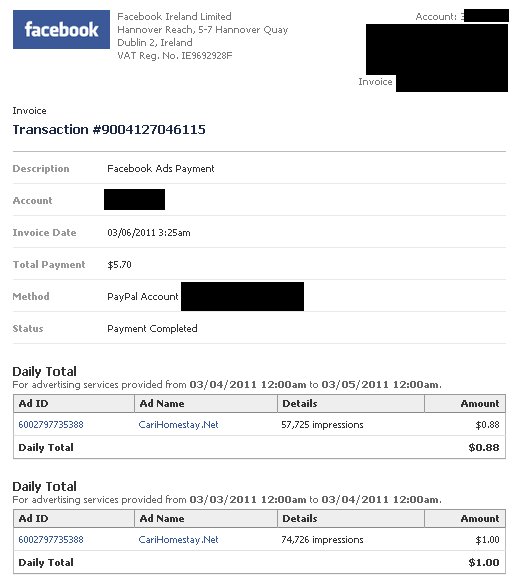
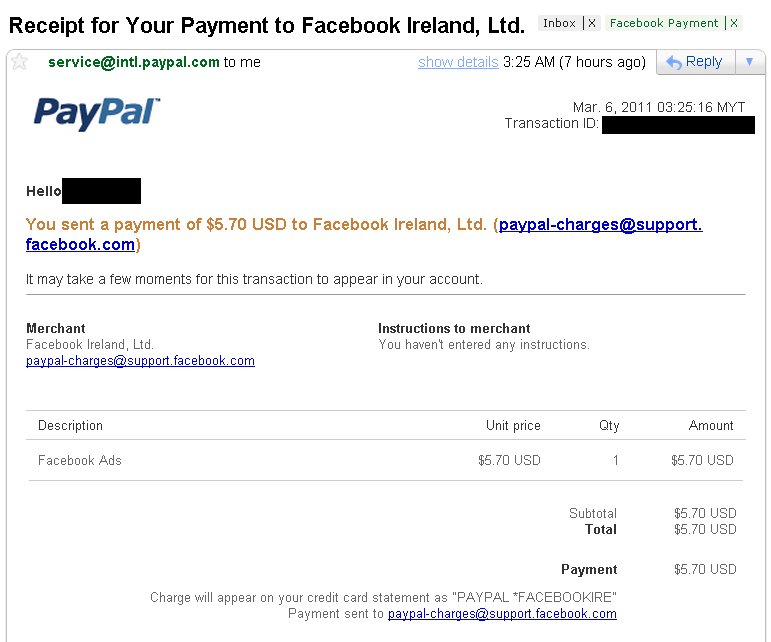
Examples of Facebook Billing Invoice and Paypal statement for the campaign are as shown in the images below.
To access the billing page in Facebook are as follows.
  1. 1.       Access you Facebook account.
  2. 2.       At the bottom of the page, click Advertising link.
  3. 3.       Click Billing.
  4. 4.       Click the Transaction #no to see the details.
To manage your preapproved payment in Paypal. The steps are as follows.
  1. Login to Paypal.
  2. At My Account tab, click Profile.
  3. At Financial Information column, click My Preapproved Payments.
  4. At My Preapproved Payments page, you could manage your subscription, automatically billed payments and installment plan payments.
  5. To manage your Facebook payment, under Merchant column you will seeFacebook Ireland, Ltd.
  6. Click Facebook Ireland, Lt, to see the detail and you could activate or cancel your payment. Don’t cancel if you’re still running your campaign.
Facebook Billing Invoice

Facebook Paypal Payment Email Notification