Hiển thị các bài đăng có nhãn Blogger Widget. Hiển thị tất cả bài đăng

Thứ Năm, 19 tháng 11, 2009

Make money advertising Amazon product in your blogger

Amazon Associates Code in Blogger


If you have blogger or any other websites, additional source to make money is to advertise amazon products in your blogger.

To do it is very easy. You can either add in the Amazon widget in the module section or in your articles.

However, today I will show you how to add in the code in your article.

First of all you need to sign up with Amazon Associates, please go to https://affiliate-program.amazon.com/

Once you have sign up, then access into Amazon Associates website.

Go to widget.

There a few types of widgets you can choose, but normally I will use Recommended Product Links. I sell products which relates to my article.

Then you need to select the product line and enter the keywords to find the right products. For example, for my KD Sri Inderapura article I select book as my Product Line and “aircraft carrier” as my keywords.

Then you need select the size of your display. Click Select This Size.

The bigger the better. I am using 468 x 336 size.

Then highlight the code and copy it.

Access Blogger and edit the article using Edit Html editor in Blogger.

Paste the code at the position that you want and save the article. That's all.

Now , you can start making money advertising Amazon product in your Blogger.


Thứ Sáu, 13 tháng 11, 2009

BlogCatalog - How to increase website traffic using BlogCatalog.


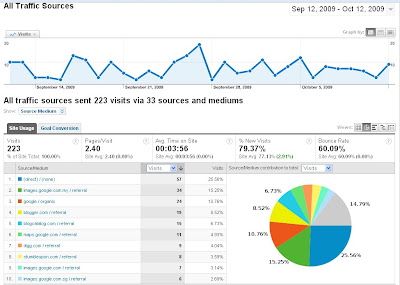
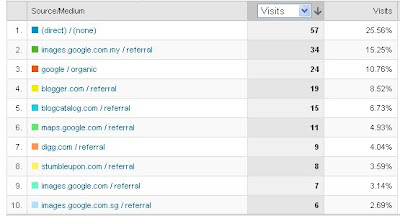
If you refer to the image above, for my penang-hotels-review.com BlogCatalog generates 6.73 % (15 visits)of my traffic for last month.

I just add in the BlogCatalog Recent Viewers Widget just recently only.

To generate this traffic, first you need to sign up with BlogCatalag and add in the Recent Viewers Widget your blog.

To do it, please click here.

Once you have sign up and add in the widget.

Now, you need to visit your friends Blog in order to have your icon/image/link shows up at your friends recent viewers widget.

I will show you one, then up to you how many friends you want to visit.

The more frequently you visit your friends the better. More potential traffic you will get.

Steps to generate traffic using BlogCatalog.com

Login to BlogCatalog.com. You will access the main page.

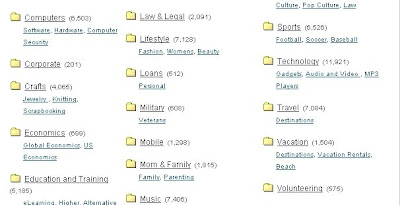
Then click Directory. Now you have list of blogs categorize accordingly.

Since, my blog is about travel. I want to find a blog about travel also. So I click Travel Directory. You can visit any blog you want not necessarily the same blog category.

Now, I want to find a blog with recent viewers widget. This one is tricky because some of our friends in BlogCatalog have not install the widget. If you found they didn't install the widget, then just leave a constructive comment in their blog with your website address stated.

After searching few blogs, finally I found a Blog with Recent Widget Viewers.

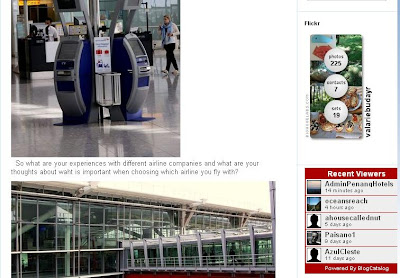
Once I visit my friend blog(Learn Sweden), http://valariebudayr.typepad.com/learnsweden/ my icon/image/link will be there in my friends Recent Viewers Widget.

Recent Viewers Widget has my recent viewers details in the widget(Learn Sweden). My link at Learn Sweden will be there as long as 5 other blogcatalog friends don't visit the site.

Therefore, anyone who visit Learn Sweden might click my link in the Recent Viewers Widget and directly visit my blog.

In order to drive traffic to your blog using BlogCatalog. You need to replicate the steps frequently.

Please remember to access your BlogCatalog site first before visiting your friends website, if not your link will not be there.

Hope this helps you ! Please refer to the images below for the details.
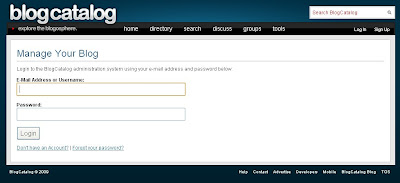


Login to BlogCatalog.
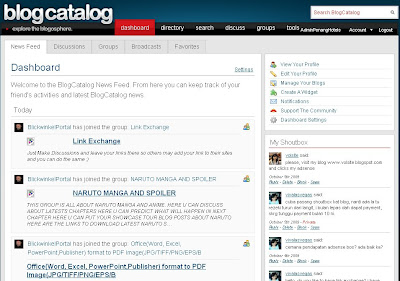


Click Directory.
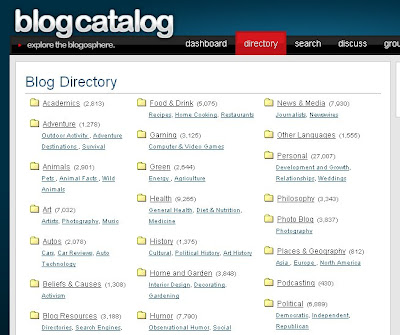


Click Travel Directory
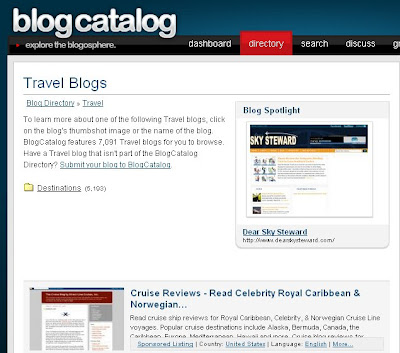


Find a Blog with Recent Viewers Widget.
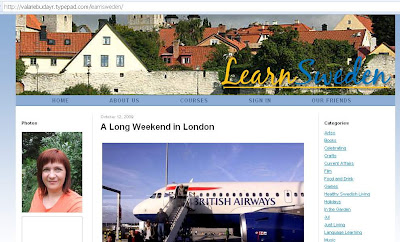


Once you visit, you link or image will be there. If anyone click your link they will be directed
to your profile at BlogCatalog.com
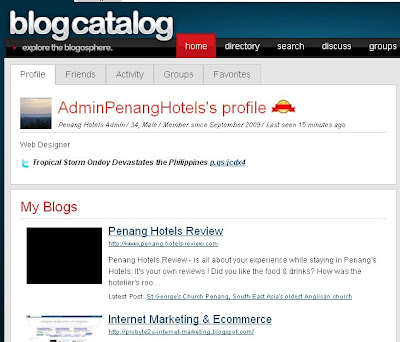


Visitors will see my profile & list of Blogs own by me.
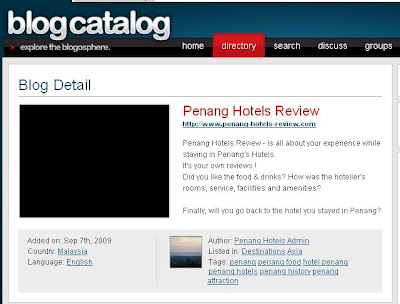


If visitor click one of my Blog, they will directed to my Blog Below.
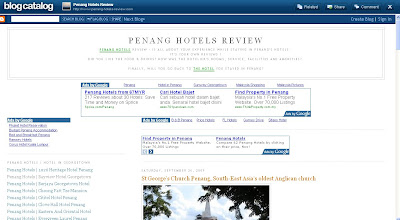
Thứ Bảy, 3 tháng 10, 2009

Increase website traffic with BlogCatalog Widget

Love blogging, then you should join BlogCatalog to network with your blogger friends and increase your website traffic.

As one of the largest blog directories on the Internet, you should join them to make your blogging experience a success.

Meet your fellow bloggers, share link with your friends, join the discussion forum or just search any articles / post easily at BlogCatalog.

I will show you how to add in BlogCatalog Widget easily.

Before that please create an account with BlogCatalog.

Then log in to BlogCatalog.com, go to http://www.blogcatalog.com/manage.php

Enter your email address / username and your password, then click Login

Click DashBoard Tab.

Click Manage Your Blogs.

Click Add A Blog

Enter your Blog Information in the form and Click Submit Blog button.

You will get the following message, please give 24 - 48 hours for your blog to be reviewed.

Your blog has been placed in the queue and will be reviewed by a member of the BlogCatalog Team within the next 24-48 hours. In the meantime, we recommend taking the following steps to make your BlogCatalog membership the best possible.

Next, please verify your blog by adding a BlogCatalog Widget, I will show you how to add in Recent Viewers Widget.

Click BlogCatalog Recent Viewers Widget Link, then choose the blog you want to add in.

Click Update Code and Preview Widget, BlogCatalog will open up a new window.

You can add in the widget in Blogger or Typepad.

I will add in the widget in my blog. To add in click Blogger image. Sign In to your Blogger Account.

Choose the Blog you want to add in, then click Add Widget.

Arrange the widget position your blog layout position. Then Click Save.

View your blog to see the result.

If you want to have a look how I add in to one of my site, please visit Penang Hotels Review.

Good Luck.

Screen Snapshot Images below :


Sign Up BlogCatalog Account


Login To BlogCatalog


Click DashBoard Tab


Click Manage Your Blog


Click Add A Blog


Enter your Blog Information & Click Submit Blog


Click Recent Viewers Widget


Customized your BlogCatalog Recent Viewers Widget


Click Blogger Image to add in your Blogger platform blog.


Sign In to your Blogger Account


Choose the Blog you want to add & Click Add Widget


Arrange BlogCatalog Widget Position & Click Save


Done